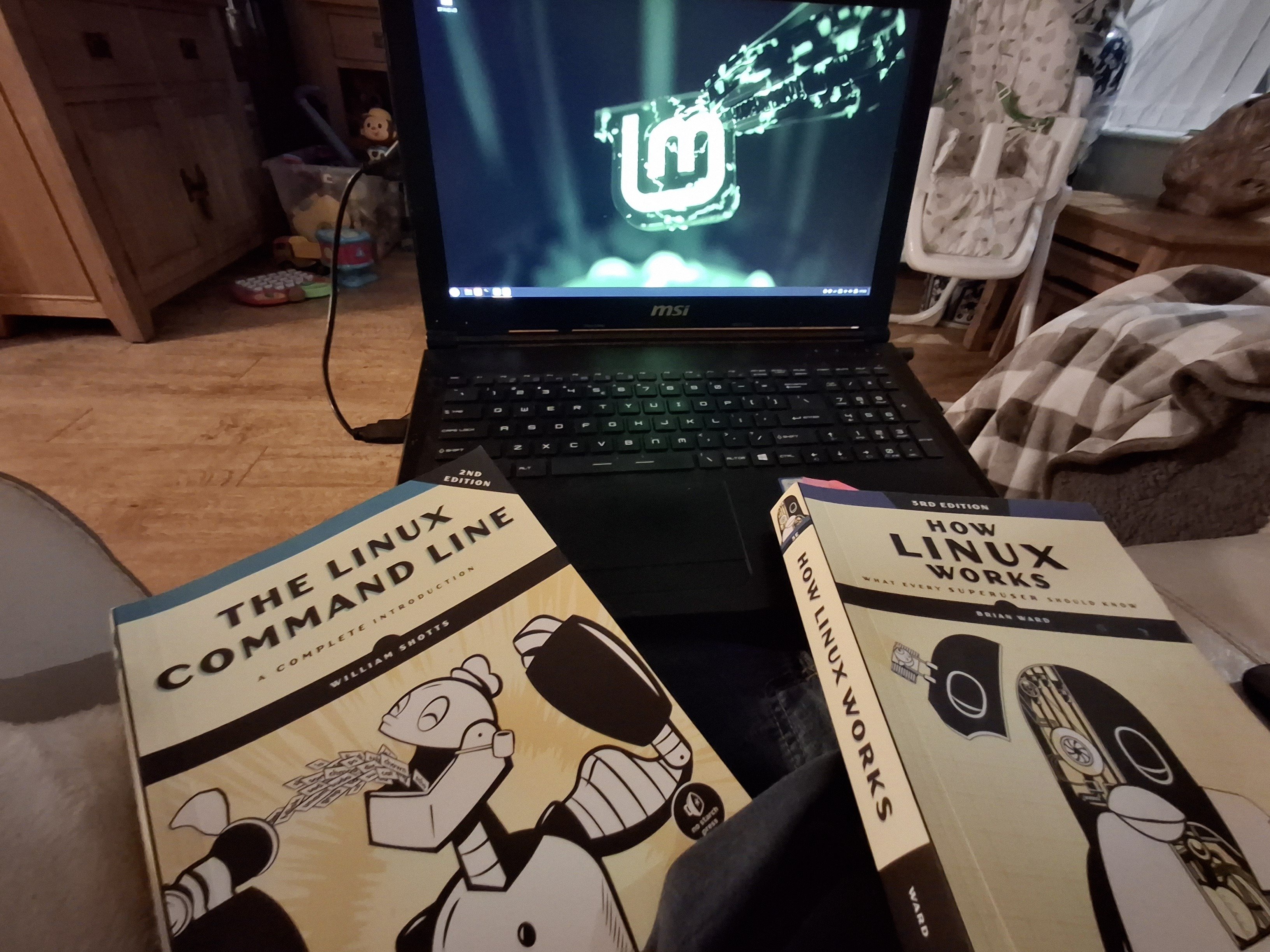
I’ve also got the Linux Basics for Hackers book but it’s at home while I’m on vacation.
I’m just really happy rn yall :) this install took some work, SecureBoot kept getting in the way and I’m not the most savvy person so there was a lot of Googling and trial and error in the way of getting here.
Welcome! Don’t listen to anyone trying to shame you for your distro choice. The most important is that you didn’t choose windows.
Thanks! I plan to experiment with others, but I wanted a nice smooth transition for my wife and I both, so Mint seemed like a great starting point.
Mint is rad. I currently use barebones Debian testing with a bunch of customized stuff, but I always keep a bootable Mint flash drive on my keychain. It’s a very solid choice
I used Mint for almost its entire existence so far, but recently I’ve started main driving immutables, and gotta say the experience is even more user friendly. That’s my current experimentation stage but, so far, it doesn’t feel experimental at all, it just works out the box, no issues.
That’s awesome choice, even though I wouldn’t choose Mint for myself at that point.
It’s really nice you read on Linux, that will help you a lot if you decide to give Arch a try. Don’t bother putting it straight on your hardware. Experiment in VM first and commit to it if you feel confident and like it :)
I agree that’s why I don’t listen to all the hater’s who say my distro Choice of Android Tv is bad.
Quick tip: forgot how to use a command? Use
man commandnameto see a short manual page for that command.Forgot sudo on your command?
!!refers to the previously typed command, so you can simply typesudo !!to fix it.
tldr or teeldeer is the short manual. fwiw
“I’m just really happy rn yall” - be careful with that rn command if you’re anywhere near Arch, wouldn’t want all your happy uninstalled! Seriously though, good for you! Welcome to freedom.
Worth reading
You’ll probably be making lots of changes to your computer over the next couple of weeks, so it’s a good idea to use TimeShift to make system snapshots. (It works like System Restore in Windows). It can even rescue an unbootable system. Just boot from your Linux Live CD / flash drive and you can run TimeShift from that.
You picked some really good books to get started with! Lot of online help these days!
Schotts provides a free ‘internet edition’ .pdf of TLCL, last updated 11/1/2024:
That’s pretty awesome, thanks!
Congratulations! It’s really fun to learn something new. Don’t let anyone distro shame you.
(Unless it’s into installing Gentoo)
Welcome! I have been using Mint many years now its a gold standard distro you made a solid choice.
Good job, welcome to the free world of tech. Installing is often the hardest part.
Next lesson: forget about downloading installer from the browser, check out the software center or learn package manager commands, that’s the first new thing about Linux.
The Linux Command Line book opened up a lot to me. How Linux Works is very good, but the command line is so essential, and that book gives you some great starting knowledge like aliases and shell scripting.
Especially aliases. Take note of aliases, when you start using aliases it can change your world once you realize how much you can accomplish with what essentially are one line programs you wrote for you own personal needs.
Welcome beyond the pale, friend. You’ve made it to the other side. Only freedom awaits, should you have the determination to work for it.
I added a line to my /etc/bash.bashrc:
alias shutup="sudo pacman -Syu --noconfirm && poweroff"So when I tell my command line to shut up, it auto updates and shuts down
That’s pretty spiffy
I’m about to repartition and reinstall everything. I’m very fucking tempted to drop this dual boot nonsense now that I have a good idea of what little I’d be losing.
I screwed up my dual boot a year ago and it was happiest mistake of my life. Forced me to learn linux, and now I feel like I live in the matrix with all my bright green terminals on i3.
I remember when I used green on black lol. Good times at uni. Nowadays I even use light mode in the daytime… I get too sleepy with dark mode in the daytime lol. Guess I’m getting old.
deleted by creator
You don’t need to reinstall. You could keep the old partition and format it and add it as a new volume while keeping the current installation.
If the windows volume is to the right of the Linux volume, you could also boot a live-usb and drop the windows partition and then extend the Linux partition then extend the Linux filesystem to cover all disk space. If it is to the left, you can do the same but you’d need to move the partition and reinstall the bootloader as well.
A backup would be mandatory If you don’t really know what you would be doing with the above, however. But if you do, it’s a lot easier and faster than to rebuild everything from scratch.
Hell yeah!! Welcome, fellow penguin. 🐧
Nice. I’m currently waiting on a “new” laptop, get off this old Core2 duo I’m typing on. Under $300 from a trusted ebay seller and I’ll be in the right decade. Linux is awesome for using old hardware but my favorite part is the “free as in freedom” aspect.
If you do run into windows mandatory stuff it’s not all that hard to run virtual machines now. I’ve been using VMWare player but on my incoming machine I’m going to give QEMU-KVM a shot. Move away from proprietary VMWare and onto free as in freedom software.
Oh my god. I had a E8400 when like WOW came out, fond memories.
So what kind of laptop are you getting?
Edit: I upgraded to the E8400 during the WoW aera, as WoW came out 2004 and the E8400 came out 2008. Still some time ago :-) !
Lenovo t480s 16GB/512GB
And I was just joking about this being a Core2, it’s a i5-4xxx 4GB
Ah lol!
I got about that laptop (t490 256GB), it’s really great.
Anyone have tips for someone wanting to do the same but have two hurdles?
-
Need multi-org account support for Teams due to multiple contracts across different orgs. At the moment I could run Windows in a VM for it but then notifications are rough. An option is running teams in multiple browser profiles / tabs but this is also not entirely ideal (6-7 profiles/tabs just for teams is rough). Any clever ideas welcome, or someone who may have experience with Matrix bridges to accommodate this somehow? Does that work for adhoc calls?
-
Speedy remote desktop. Parcel seems to be the closest in speed to RDP thus far, but it doesn’t consistently transmit shortcut keys which makes development difficult. Any other suggestions, gladly welcome.
3. (no longer an issue) if you’ve seen my past comments, I used to seek an alternative to Fancy Zones, but my fix for this was to just get rid of my ultrawide and go back to multiple monitors. So this is no longer needed.-
Giddyup!