4·
10 hours ago

Yeah, keep saying the message was the problem…
It was the delivery. It wouldn’t matter if the Democrats struck up the most revolutionary, amazing, appealing set up policies known to man and Republicans promised to randomly shoot people. The message is not getting there because it’s all filtered through influencers and algorithmic feeds people actually pay attention to now. No one (in the US, on average) is reading this Guardian article, or watching cable news, or listening to what their union or neighbors say, or whatever.
Mark my words, Democrats are going to stay on the high horse and lose the next election, no matter how progressive the next candidate is or how much Trump messes up, unless they get into the mud with the propaganda game.
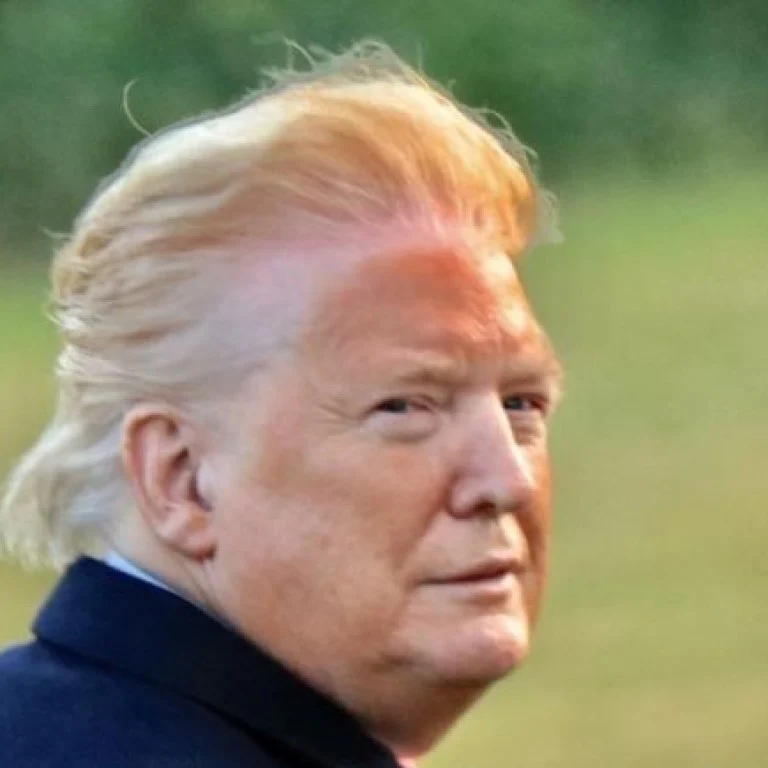
Playing devil’s advocate, is there a plausible explanation for this?
It does look like he’s rubbing his gums, and there’s not a lot of reasons to do that…
How does he use IG?
Assuming its not a parody.

I feel like they are dropping the ball in the GPU space though, both on desktop and in servers.
They’renot really leveraging it. They killed the steam deck line of “small core count, GPU heavy APUs” which is why Valve hasn’t updated it and competitors seem so power hungry. They all but killed server APUs, making them mega expensive and HPC only. They’re finally coming out with a M-Pro like consumer APU, but it took until 2025, and pricing will probably be a joke just like their Radeon Pro GPUs…
And I don’t even wanna get into the AI space. They get like 99% there and then go “nah, we don’t really care about this market, let Nvidia have their monopoly and screw everyone over.” It makes me want to pull my hair out.

Perplexity (or open source equivalents) are much better for this.
We also knew exactly who Trump is. We have a very long history.
I particularly love stuff about him before he was in politics, like the Motley Fool podcast on how he duped public investors for his private company through pumping up real estate values. They went to his office, saw this weird array of gaudy decoration and oddly attractive employees, sat down with him, and saw through his lie. Then made the only short in their firm’s entire history… and it paid off.
There’s no excuse of bias. You can’t blame any politicians. It’s just him. And while not perfect by any means, you have to squint hard to see Kamala in the same light.
And never watch them?
For a while, yes…
Just saying, 3rd party databases are great: https://reelgood.com/
It’s incredible how much more useful they are than the stupid rec algorithms.
Unless you have an Nvidia card.
I’ve been on linux for years, I work the Nvidia libraries all the time, I alternate booting wayland and X… I even use my AMD IGP as output these days, instead of the Nvidia card.
And I STILL hold my breath wondering if I’m going to get a blackscreen, and have to go into tty mode or boot from a usb stick to investigate and fix it.
They need to take their phones away in class.
I hate to sound so salty and old, but jeez.
I’m afraid it would just bolster his image. Become a tiktok meme or something…
Every single bad thing about this country, from now on, will be prepended with “Biden”
It shall be law.
I’m not actually sure if I’m joking.
But EGG PRICES! The economy!
And he’s such a strong leader…
(I am paraphrasing actual interviews our local networks did with college students)

Remember how great Brexit was, they say.

What on Earth is the NIH thinking right now?
I mean, what if an moon landing skeptic took over NASA? It’s like that. They literally produce this mountain of evidence and organize this stuff, and… yeah.
Don’t jinx it.
Especially not if they somehow coincidentally get some government funding.
100%.
I agree with the assertion though. These are the two biggest egos in America, and there’s no way they get along for long.

They should keep Alex Jones and leave the broadcast completey unchanged.
Wala. A parody site.