I normally tell it straight from why I got interested on it: “I like my stuff being mine”


I normally tell it straight from why I got interested on it: “I like my stuff being mine”


https://file.pizza/ just because the pizza toppings URLs are fun and nasty


If you can overcome the first kinda large step of setting up a basic install of Proxmox + ZFS pool, you’ll love it. You can try shit out and nuke it if you don’t like it. Helper Scripts from here are also a great way to try stuff without breaking anything you already have. each container gets its own IP so you don’t have to juggle stuff with a reverse proxy (which is a PITA to set up properly) and with TailScale on the host, you can pretty much access everything from anywhere, without exposing it to the wider internet.
Creating a ZFS pool is also rather nice, because you can keep adding new disks to the pool when you’re running short. Ideally you’d use some mirroring for security. Backups are also nice with proxmox, as long as you don’t give every LXC a giant size quota.
Last thing, DO get an UPS, even if it’s a small consumer grade one that lasts 5 minutes. Make sure it has some sort of conectivity (network or USB) and it’s linux compatible. I’ve lost a lot of time rebuilding a 2yo NextCloud install that went all wonky after a blackout.
So in a detailed summary from your points:
Good Luck and Have Fun!


I will probably get flogged by this answer but here it goes:
I’d throw you right into the deep end: get a spare machine (an old laptop or PC) and install proxmox on it. Play around, breaks shit, delete the container/VM and start over.
Grab stuff from the Community Helper Scripts and see new stuff, try alternatives, see what works for you and don’t be afraid of breaking stuff.
It takes a bit longer and some basic concepts might fly over your head, but the stuff you learn like this, you learn by heart.
It’s been a few years since I started tinkering with a laptop with a busted video output circuit. Now I serve NextCloud and Immich to my family, keep receipts and documents neatly organised on Paperless, have a decent arr stack and a bunch of extra goodies. All from “a PC without video? Might as well make a server” now with a proper machine with several drives on ZFS pools, health checks and redundancy.
Its a helluva rabbit hole.
If you already have HomeAssistant


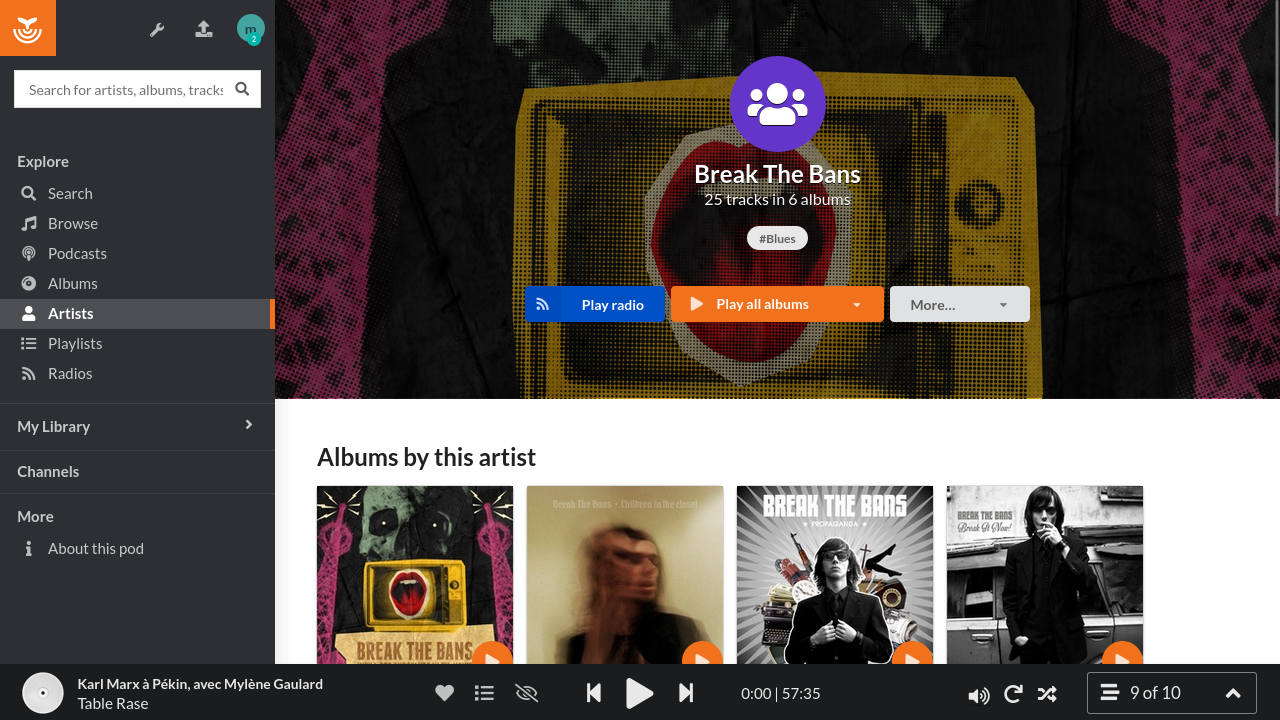
I loved the idea behind Funkwhale but damn it was such q a chore to set up I ended up spinning up 4 navidrome instances lol


Tried OCIS a while back and its way faster than NC syncing files, even the initial sync was so fast I didn’t trust it was fully done (but it was).
That being said, OCIS is missing several key features I daily use: namely proper DAV support (contacts, calendar, todo, journal, etc) as well as integrations for stuff like SeedVault for mobile backups.


Here’s an idea: on your android device use something like Insular to create a work profile, that way you get its own VPN slot, add your selfhosted-related apps there along with Tailscale. You can keep ProtonVPN on for your other apps, while using TS for your “LAN away from home” stuff. Since Tailscale already encrypts all traffic, you don’t have to worry about HTTPS, certs, et al.


Oh no, don’t take it as “don’t reinvent the wheel”! I meant it in the true sense that sometimes we spent so much effort and focus building something, just to post about it somewhere and getting a reply “Oh nice, it’s exactly like X project!”.
Currently I’m running NextCloud on prem, so DavX5 and JTXBoard cover most of my note taking and todo tasks, and I guess one could deploy the server-side encryption module on a NextCloud AIO on a VPS and keep everything (probably) safe and private. I’m kinda lazy too, that’s why I liked the hands-off maintenance of NC-AIO. I get notifications to update stuff, and I get regular security audits from NC itself.
BTW, never take that “doing stuff already done” is in detriment of helping FOSS projects. There are tons of examples of people randomly tinkering around and accidentally finding some huge fix for other projects. Off the top of my head, some weeb wanted to play Nier Automata at decent framerates on wine and a few years later, here we are with DXVK and all the proton stuff making most stuff playable!


Really interested on seeing this, although if I could make a suggestion, start by scouting around and see if you can adapt FOSS apps, maybe fork them and add/remove features to please your objectives and tastes.
Although I’m eager to see these through, I like projects like murena (/e/OS) that cobble together good Foss projects into a single cohesive ecosystem (without making the word ecosystem gross and vendor locked in like in most cases)


A few years ago I got a laptop with a busted video output, installed CasaOS and that kicked off a learning experience that continues to this day. I’m now running a 2 node proxmox deployment with several LXC containers and a HomeAssistant VM. I self-host most of my stuff for me and my family.
If it wasn’t for CasaOS, I’d probably had tried proxmox and fled in horror of the difficulty to grasp what it’s doing.
Also IIRC Casa now uses proper docker-compose exports, while I was using it, it was a self-rolled json file you couldn’t really import on other platforms. So enjoy Casa, and when you feel like it’s hindering your learning or desires, jump to portainer and import your stuff with just a few clicks.
For reference, here’s some of the stuff I’ve been hosting:
NextCloud AIO for document syncing across machines, backups and contacts/calendars/todo via DavX5 on android devices
immich replaces google Photos so I don’t have to ever “solve” a storage issue for any family member getting those googleOne popups
HomeAssistant is still a rabbit hole on it’s own, but I love tinkering and automating stuff
Paperless-ngx solved my download folder always full of random invoice PDFs as well as referencing documents and manuals
Jellyfin is not only on my main TV but also my hifi music source for mobile devices and standalone speakers
Portainer makes it super easy to spin up game servers for me and my friends in a few clicks
PiHole+Unbound makes surfing the web bareable again
And a bunch more I use on and off, like NetAlertX to map and check on my network stats, Navidrome for older devices (like iPad2) music streaming, etc
Lawnchair is GOATed, especially after nova sold out


+1 to this. I grabbed the haOS VM proxmox script a year ago and it’s been smooth sailing ever since.


For anybody else looking for alternative solutions, there’s Native Alpha on IzzyOnDroid
the problem with FW’s docs is that they are too opinionated, they expect a strict user and directory structure that should not be required for docker deployments. I modified the example docker-compose to use volumes instead of binding to host locations (except for the music:ro folder) and it didn’t like it at all. I get that they prefer using ansible playbooks over docker, but even when starting from a fresh debian 12 install it’d fail, even though I followed that guide to the tee.
As someone else said on the thread, it’s weird but there’s no much choice for multi-library music-centric servers. Guess I’ll have to wrangle Jellyfin into submission to tag my music properly.
tried jellyfin even before Navidrome: the problem with Jellyfin is that as good as it is tagging and managing movies and tv shows, it’s atrocious at music management. Even though I painstakingly tagged and sorted my music using MusicBrainz Picard, there are tons of albums misplaced, or entire artists catalogs set as a single album. Same music collection on Navidrome worked OOTB and was perfectly sorted.

I have an old i5 Mac mini (2011 I think) as a backup for infrastructure stuff (proxy, home assistant, pihole). If something goes terribly wrong I can just plug it in and start it. All the LXCs are copies of my main proxmox rig, albeit a bit outdated (BC I don’t leave it plugged in). I know I could do better with proxmox’s HA but seems like another thing I’d be on the hook to keep maintaining.